 905-953-9499


Practical Workspace Adjustments to Reduce the Need for Corrective Stretching
TL;DR
Simple workspace adjustments like proper chair height, monitor positioning at eye level, and scheduled micro-movement breaks reduce muscle strain and minimize the need for frequent corrective stretching. Combined with preventive physiotherapy, these ergonomic solutions address root causes of office-related discomfort rather than just treating symptoms.
────────────────────────────────────────────────────
If you spend hours at your desk, you know the routine: neck ache by lunch, tight shoulders by 3 PM, and lower back pain by quitting time. You stretch, roll your shoulders, and twist your spine to find relief, only to repeat the cycle tomorrow.
The problem isn’t just poor posture. It’s a workspace that fights against your body’s natural alignment and movement patterns. When your environment forces you into compromised positions for hours, your muscles work overtime to compensate, creating the strain that sends you reaching for those corrective stretches.
I’ll show you evidence-based workspace adjustments that support better posture from the start, reducing your reliance on corrective measures. These aren’t complex overhauls but practical changes you implement today to help your body perform better throughout your workday.
Why Does Poor Workspace Setup Create the Need for Constant Corrective Stretching?
Your body adapts to whatever position you place it in repeatedly. When your workspace forces you into forward head posture, rounded shoulders, or prolonged hip flexion, your muscles develop imbalances that require intervention to correct.
Research published in PubMed Central demonstrates that workplace ergonomic interventions significantly reduce musculoskeletal symptoms and improve employee wellbeing. Poor positioning creates a cascade of compensations: your upper trapezius muscles overwork to support your head, your chest muscles tighten while your upper back weakens, and your hip flexors shorten from prolonged sitting.
These adaptations happen gradually but become persistent patterns that require active correction. Movement science shows us that addressing the environmental factors that create these patterns is more effective than constantly trying to undo them after they occur.
The goal isn’t to eliminate all stretching, it’s to reduce the frequency and intensity needed by creating a workspace that supports natural alignment and encourages regular movement throughout your day.
What Are the Most Effective Workspace Adjustments for Better Posture?
Effective ergonomic adjustments focus on supporting your spine’s natural curves and positioning your work tools within easy reach. These changes work together to reduce the muscular effort required to maintain good posture.
Chair Height and Support
Set your chair height so your feet rest flat on the floor with your knees at roughly 90 degrees. Your chair’s lumbar support should fit the natural curve of your lower back. If your chair lacks adequate lumbar support, a small pillow or rolled towel works as an immediate solution.
Monitor Positioning
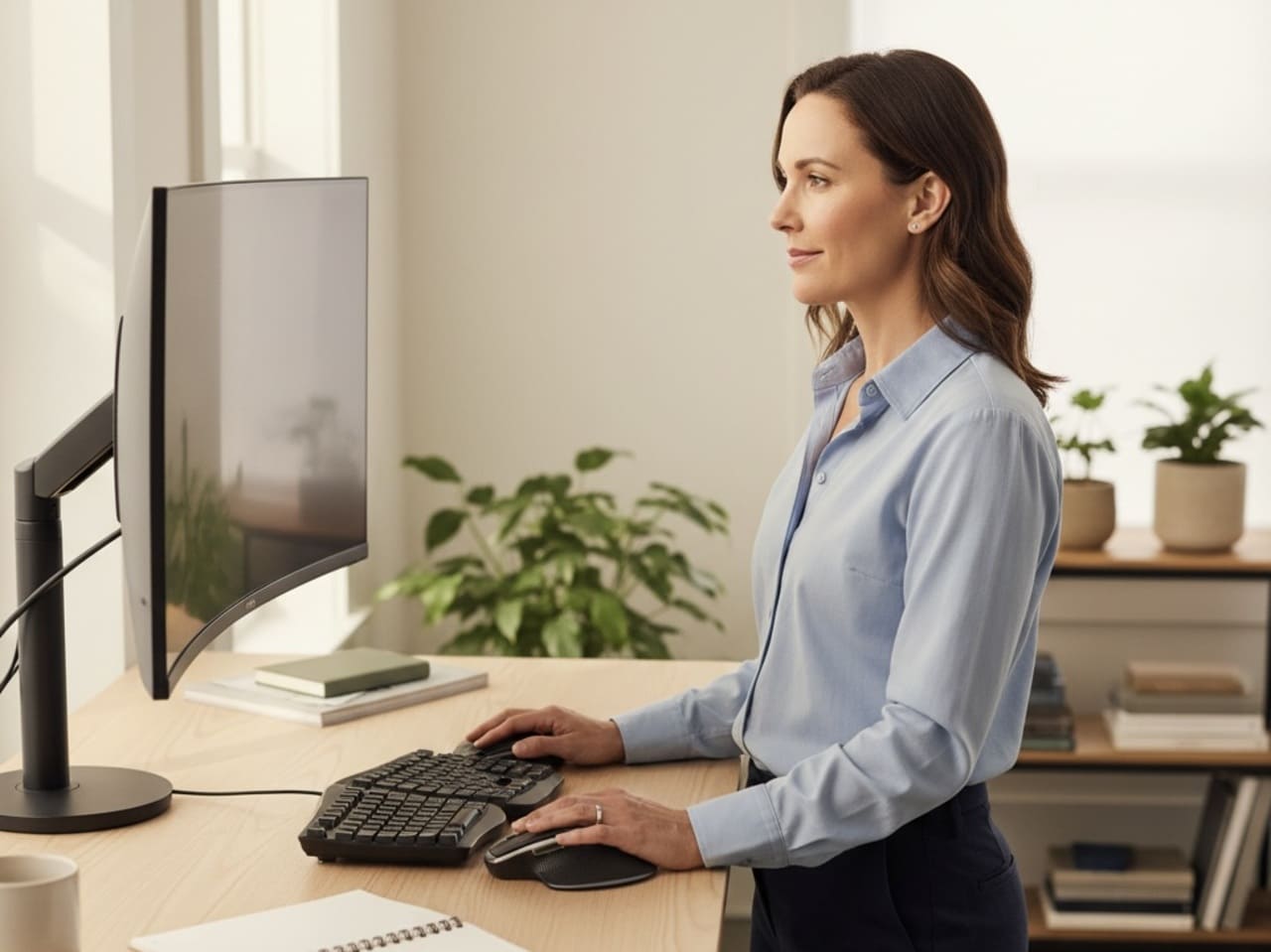
Position your monitor so the top of the screen sits at or slightly below eye level when you look straight ahead. The screen should be about arm’s length away, allowing you to maintain a neutral neck position without leaning forward or tilting your head.
Keyboard and Mouse Placement
Keep your keyboard and mouse at elbow height with your shoulders relaxed. Your wrists should remain in a neutral position, not bent upward or downward. Consider a keyboard tray if your desk is too high to achieve this positioning.
| Body Part | Optimal Position | Common Problem |
|---|---|---|
| Head | Balanced over shoulders | Forward head posture |
| Shoulders | Relaxed, not elevated | Rounded forward, hunched |
| Elbows | 90-degree angle | Too high or too low |
| Hips | Slightly above knees | Too low, creating hip flexor tightness |
How Do You Integrate Movement Breaks Without Disrupting Productivity?
Strategic movement breaks interrupt the static loading patterns that create muscle tension and joint stiffness. The key is incorporating brief, purposeful movements that counteract prolonged sitting without requiring lengthy breaks from work.
Set a timer for every 30-45 minutes to prompt a brief position change or movement. This frequency aligns with research showing that regular interruptions to prolonged sitting reduce cumulative strain on your musculoskeletal system.
Effective Micro-Movements
- Neck rotations and shoulder blade squeezes while remaining seated
- Standing and sitting transitions, using your leg muscles rather than pushing off with your arms
- Walking to the water cooler or printer using routes that encourage different movement patterns
- Calf raises or ankle circles while on phone calls or during video meetings with cameras off
Studies from Franklin University show that workplace posture initiatives incorporating regular movement breaks significantly improve employee comfort and reduce the incidence of work-related musculoskeletal disorders.
These micro-movements target the specific areas that become problematic with prolonged desk work: your cervical spine, thoracic spine, and hip flexors. By addressing these areas proactively, you reduce the accumulation of tension that would otherwise require longer corrective sessions.
How Does Preventive Physiotherapy Support Your Ergonomic Efforts?
While workspace adjustments address environmental factors, physiotherapy assessment identifies your individual movement patterns and muscle imbalances that contribute to workplace discomfort. This personalized approach ensures your ergonomic solutions match your specific needs.
A physiotherapy assessment examines how you move, where you hold tension, and which muscles may be overactive or underactive due to your work habits. This information guides targeted interventions that complement your workspace modifications.
For example, if assessment reveals significant upper trap dominance and weak deep neck flexors, your physiotherapist develops specific exercises to restore balance between these muscle groups. This targeted approach is more effective than generic stretching routines that address symptoms rather than causes.
Preventive physiotherapy also provides education about proper movement mechanics during daily activities. Learning how to maintain spinal alignment while reaching for items, transitioning from sitting to standing, and carrying work materials reduces strain throughout your entire day, not just at your desk.
The combination of optimized workspace ergonomics and personalized movement strategies creates a comprehensive approach to reducing repetitive strain and improving your overall function.
What Ergonomic Equipment Provides the Best Value for Office Workers?
Effective ergonomic equipment doesn’t require a complete office overhaul. Focus on tools that provide the most significant impact on your posture and comfort while fitting your budget and workspace constraints.
A supportive chair with adjustable height and lumbar support provides the foundation for good posture. Mayo Clinic research emphasizes that proper chair support significantly reduces lower back strain during prolonged sitting.
Essential Ergonomic Investments
- Adjustable monitor stand or laptop stand to achieve proper screen height
- External keyboard and mouse for laptop users to separate screen height from typing position
- Document holder positioned at screen level to reduce neck flexion while referencing papers
- Footrest if your desk height prevents proper leg positioning
Budget-Friendly Options
You don’t need expensive equipment to improve your setup. A stack of books raises your monitor, a rolled towel provides lumbar support, and a small box serves as a footrest. The key is achieving proper positioning rather than purchasing specific products.
Test adjustments using household items before investing in specialized equipment. This approach helps you identify which modifications provide the most benefit for your specific situation and work habits.
Key Takeaways
- Proper chair height with feet flat on floor and monitor at eye level reduces neck and back strain that creates the need for corrective stretching
- Movement breaks every 30-45 minutes interrupt static postures and prevent the accumulation of muscle tension
- Micro-movements like shoulder blade squeezes and neck rotations counteract prolonged sitting without disrupting productivity
- Preventive physiotherapy assessment identifies individual movement patterns and muscle imbalances that workspace adjustments alone cannot address
- Simple household items like books for monitor height and towels for lumbar support provide immediate ergonomic improvements without significant investment
- Combining environmental modifications with personalized movement strategies provides the most comprehensive approach to reducing workplace strain
Stop Letting Pain Win
Your workspace should support your body, not fight against it. The adjustments we’ve discussed work together to create an environment that encourages better posture and reduces the strain that leads to discomfort and frequent corrective stretching.
Start with the modifications that address your most problematic areas, whether that’s neck strain from a low monitor or back pain from poor chair support. Small changes compound over time to create significant improvements in how you feel throughout your workday.
If you’re ready to take a more comprehensive approach to reducing workplace strain and improving your movement quality, consider a preventive physiotherapy assessment. At Athletify, we help office workers in Newmarket ON identify the root causes of their discomfort and develop personalized strategies that complement ergonomic improvements. Our goal-driven approach ensures you get measurable results that help you move, perform, and feel your best both at work and in your daily activities.
Frequently Asked Questions
What are the most effective workspace adjustments to reduce muscle strain at a desk job?
The most effective adjustments focus on monitor height at eye level, chair height with feet flat on floor, and keyboard positioning at elbow height. These three changes address the primary postural stressors that create neck, shoulder, and back strain during desk work.
How often should office workers take breaks to minimize the need for corrective stretching?
Take movement breaks every 30-45 minutes to interrupt prolonged static postures. These breaks need only last 30-60 seconds and include simple movements like standing, shoulder blade squeezes, or brief walks to prevent muscle tension accumulation.
How does physiotherapy support my efforts to improve desk posture and reduce discomfort in the office?
Physiotherapy assessment identifies your individual movement patterns, muscle imbalances, and postural habits that contribute to workplace discomfort. This personalized approach ensures your ergonomic modifications and exercise strategies target your specific needs rather than applying generic solutions that may not address your root causes.